Google unveils Gemini CLI: Open‑source AI agent brings Gemini 2.5 Pro directly to developer terminals
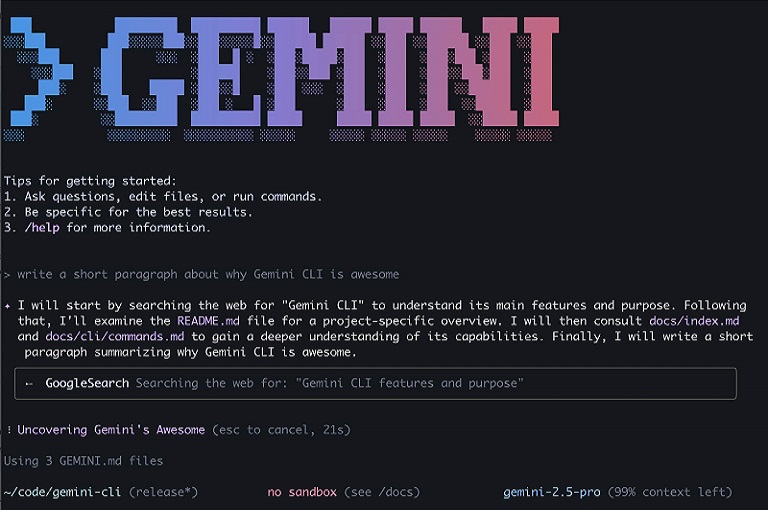
Gemini CLI: A New Era of AI in the Terminal
On June 25, 2025, Google launched an open-source AI agent called Gemini CLI, designed to bring the power of its Gemini model directly into developers’ terminals. This tool deeply integrates with the Gemini 2.5 Pro model, allowing developers to write code, debug, generate text, and automate tasks using natural language prompts—all from the terminal.
Model and Access
Gemini CLI runs on the Gemini 2.5 Pro model, offering an unprecedented 1 million token context window. This means it can understand and process entire codebases or large documents at once. Currently in its preview phase, it is free to use with a personal Google account, allowing up to 60 model requests per minute and 1,000 per day—claimed to be among the highest usage limits in the industry.
Key Features
Coding and Debugging
Gemini CLI generates code from natural language queries, finds bugs in existing scripts, writes test cases, and even performs code refactoring.
Task Automation and Shell Integration
This agent can run shell commands, read/write files, and automate bug fixes through scripts. It confirms with the user before execution, ensuring safety.
Interactive REPL Environment
The CLI offers an interactive Read–Evaluate–Print Loop (REPL) environment. For example, a command like “Summarize yesterday’s changes” can interact with tools like Git, execute the necessary commands, and display results clearly.
Multimodal and Web Integration
It supports image and video generation with AI tools like Imagen and Veo. Additionally, it can fetch real-time web data through Google Search.
Model Context Protocol (MCP) and Plugin Extensibility
With MCP support, developers can easily add custom plugins, third-party tools, or internal services.
Open Source under Apache 2.0 License
The source code is hosted on GitHub under the Apache 2.0 license, allowing developers to run security tests, contribute improvements, or build plugins.
Usage and Integration
Installation and Setup
Requires Node.js (v18+). Can be installed via npx https://github.com/google-gemini/gemini-cli or npm install -g @google/gemini-cli. The setup is simple—choose a theme, log in with your Google account, and you’re ready to go.
Configuration Options
You can access the free preview through a personal Google account. For high-volume usage or special models, API keys from Vertex AI or Google AI Studio can be used.
IDE Integration
Gemini CLI shares features with Gemini Code Assist in VS Code, such as /memory, /tools, and /mcp commands—offering a consistent experience across terminal and IDE.
Strategic Perspective
Gemini CLI is part of Google’s strategic initiative to open-source AI tooling and make its models accessible to developers affordably. It aligns with efforts by Meta (LLaMA) and Microsoft (Autogen) to build AI developer ecosystems around their own models.
By offering a free tier, Google aims to help most individual developers stay within limits and later transition their workflows to platforms like Google AI Studio or Vertex AI.
Potential Concerns
Privacy and Data Use
Using the free version of Gemini Code Assist may expose your prompts, outputs, and code to Google for model improvement. This does not apply to premium users.
Reliability and Security
According to TechCrunch, many developers remain cautious about the reliability and security of AI-generated code. While Gemini CLI helps, careful review is still necessary.
Conclusion
Gemini CLI is a powerful, scriptable, open-source way to bring AI into the modern development workflow. It adds intelligence to your terminal, simplifies shell, code, and content automation, and makes large-model capabilities available—even at a free entry level.
About The Author